JSJiansheng
Approximately 9 minutes to read

OurJSJianshengis an external tool for players to look up locations, and it's simple to use:
Zoom: Scroll the mouse wheel on the map to zoom in and out; on touchscreens, use pinch gestures.
Pan: Hold the left mouse button and drag the map.
Filter: Check categories on the left (61 categories in total, including heist crimes, collectibles, vehicle services, styling and outfits, etc.).
Leaf Cat · 80,000 likes · 11/19/2026: type a place name directly into the top search box; to see only your own marked places, check 'Favorites only'.
If markers are too dense to see clearly, uncheck 'Show dense markers (show all even at low zoom)', narrow the scope first, then zoom in.
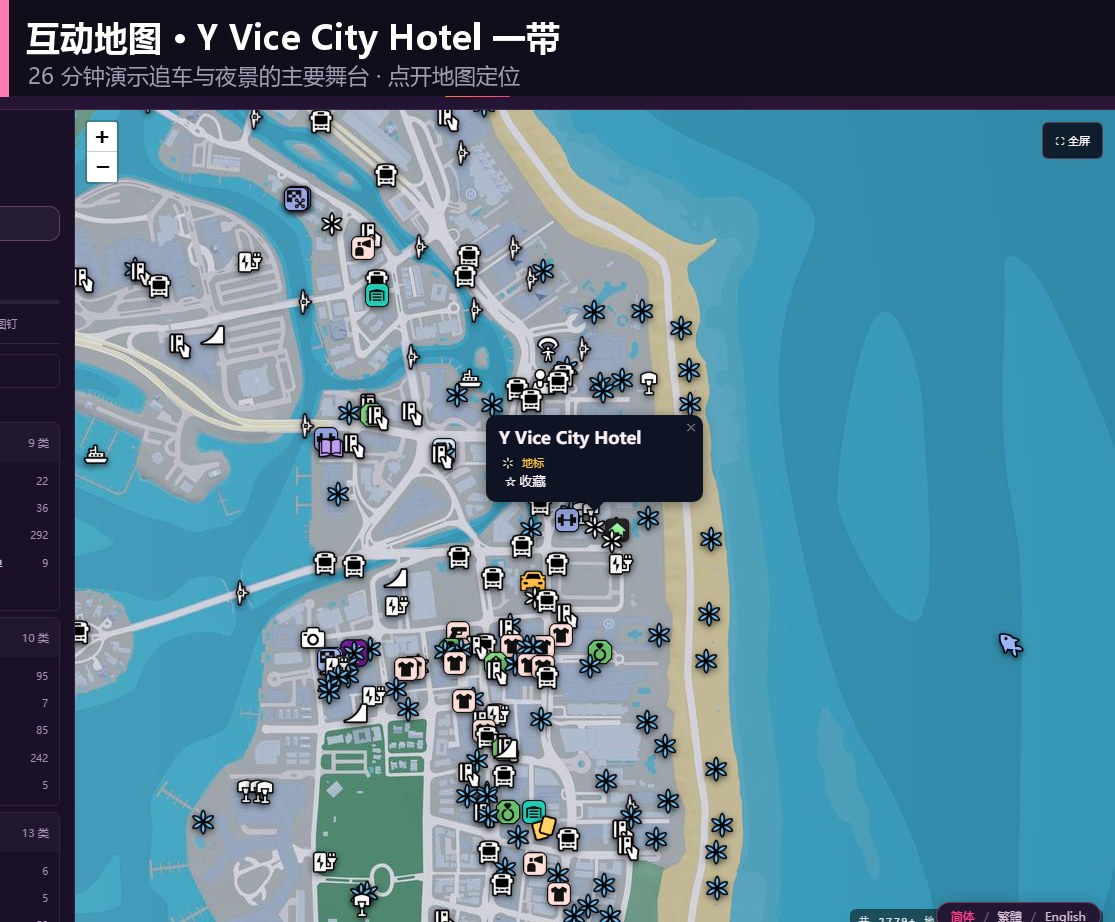
'What to do when GTA6 map location fails' is a question that repeatedly appears in Baidu AI. It usually refers to two situations:
In-game GPS: navigation markers not pointing to the target correctly, or route planning failing. For these, first check whether the right marker is selected and whether the destination is reachable; if needed, reset the waypoint.
External interactive map: some websites show a 'location failed' notice, usually because their coordinate data hasn't kept up with version updates, or browser location permission was denied. Refreshing the page, re-authorizing location access, or switching to this site's interactive map usually fixes it.
Important to note: the community pin coordinates on this site's interactive mapPlayer-reported, estimated valuesare not official precise coordinates; actual in-game locations take precedence.
The site's interactive map divides places into 61 categories. A common question is 'which map display categories do most people choose'. Here are some recommended combinations by use case:
Exploration & resources: heists and crime (banks, fencing spots, ATMs), weapon shops, vehicle services.
Collectibles: collectibles (hidden packages, collectible cards, murals, unique playlists).
Lifestyle activities: activity gameplay (golf, fitness, fishing spots, billiard tables), appearance and clothing (clothing stores, tattoos, Hair & Beauty)。
Assets & hideouts: asset properties (garages, hideouts).
You can also view the full list of locations directly atPost Comment, which is faster than searching one by one on the map.
| Purpose | Recommended category |
|---|---|
| Exploration resources | Banks / fence points / ATMs / gun shops |
| Collectibles | Hidden packages / collectible cards / murals / radio stations |
| Lifestyle activities | Golf / fishing / billiards / clothing stores |
| The GTA VI cheat codes are ready for everyone. We'll look into property speculation once the game is released. #gta6 #gtaXiaotang #ps5 #Rockstar #xbox | Garages / hideouts |
Finally, here are quick answers to a few frequently asked questions:
“Pressing to open the map switches to focus view” — this is an in-game camera/angle switch, unrelated to map zooming. It's usually triggered by an accidental key combo; just reset the view.
“How do I send photos with location” — that's an in-game social/sharing feature, unrelated to external maps.
“How do I tilt the map up and down” — this refers to adjusting the map's pitch. Use the corresponding view key in-game; the site's interactive map only supports flat zooming.
Treat in-game controls and external map tools separately, and many seemingly complex questions turn out to have their own separate solutions.